![Final_Logo_FHM.png]](https://knowledge.fullhealthmedical.com/hs-fs/hubfs/Final_Logo_FHM.png?width=287&height=90&name=Final_Logo_FHM.png)
Full Health Medical hosts an end-to-end solution for clients to book an appointment, complete their pre-assessment questionnaire and access their online report.
The client journey consists of the following steps:
Booking an appointment
The booking workflow will be determined by the individual medical facility requirements.
Options may include
- A provider books a client appointment by telephone.
- A client books online using an invitation code or a booking link received from their healthcare provider.
Booking by telephone
- When an appointment is booked by telephone, a new client profile is created and an Account invite is sent by the provider.
- The client will receive an invitation to accept and register their account.
- Clicking on the link will direct them to a registration page to confirm their details. Once all details are confirmed the client is directed to the account login page.
- The registration link will expire after one month.
If a client has not received their Invitation to register email:
- Ask the client to check their spam folder.
- Check that their email address has been entered correctly by the provider.
Booking online
- As part of the online booking process, a new client must create an online account.
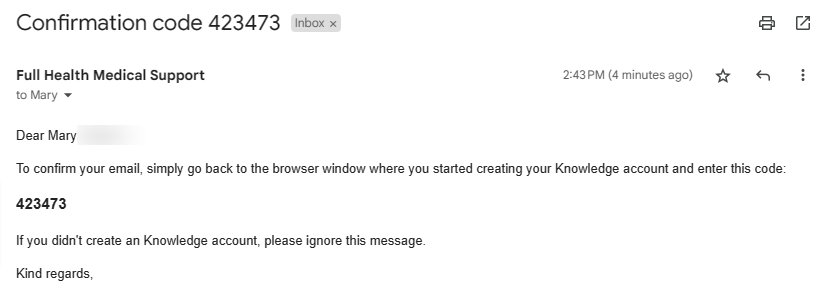
- New clients will be emailed a confirmation code, which must be entered to confirm their email address.
- Returning clients will need to log in to their existing account.
- Appointment details are displayed which the client must Confirm.
- This will open the client's online account where a link to their pre-assessment questionnaire is presented.
- New and returning clients will receive a booking confirmation email containing appointment details, any preparation instructions and a link to a pre-assessment questionnaire is also sent to the client.
Appointment confirmation
- An email alert will be sent to a client if they overlook the final confirmation step during the booking process.
- This alert will be sent if a booking remains unconfirmed after the 15-minute booking window expires
- Providers will also receive a notification conveniently located in your provider's notification list accessed through the top bar bell icon.
Need help to manage a client who does not have an online account? Click here for more information.
Appointment reminders
- Clients are sent 2 appointment reminders.
- The default intervals are 30 days and 1 day before an appointment.
- Please contact your system administrator to confirm the reminder intervals that have been set up on your account.
Questionnaire reminders
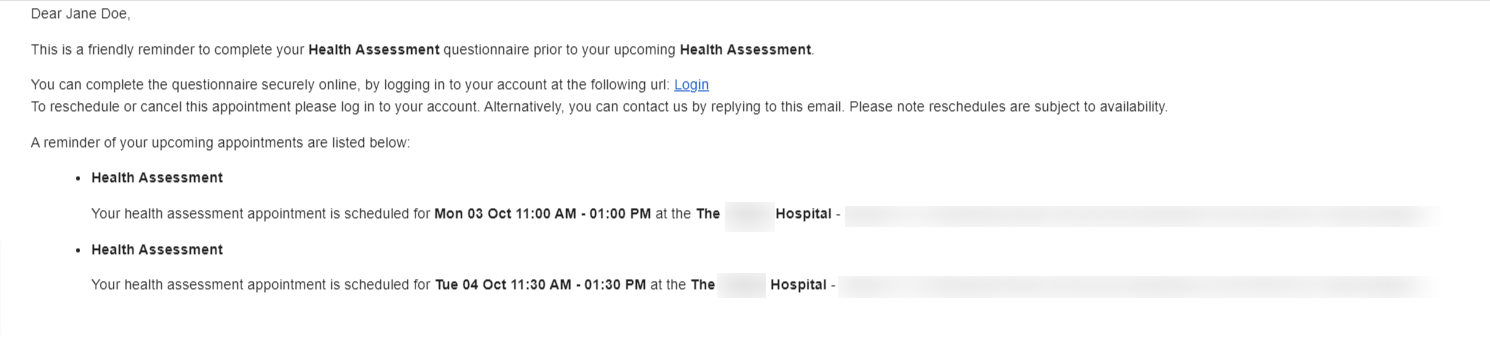
- If a client has not completed their pre-assessment questionnaire, they will be sent a reminder to do so.
- The reminder default interval is 3 days before their appointment. Please contact your system administrator to confirm the reminder interval that have been set for your account.
- The reminder email contains a link which will direct a client to log in to their account.
- You will find help on why a client may not be able to access their questionnaire here.
Report access
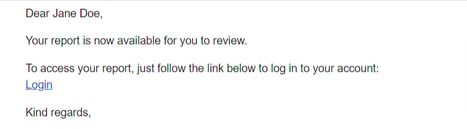
- Once a client report has been approved and dispatched, it will be available for a client to view via their online account.
- They will receive an email to inform them their report is available for review and a link to login to their account.
- A client will be unable to view their report if:
- They have not registered their details from the booking/invitation link sent by their provider.
- Their report has not been approved and dispatched.
- There is an outstanding payment on their account.